






Qaori-bot. The support widget with a real brain behind it.
Every other support widget is a form with a chat bubble glued on top. Qaori-bot is an Alter: a governed AI persona that reads your own site and documents, answers with the evidence to back it up, and gets smarter every time someone talks to it. One script tag. No manual tagging. No static scripts.
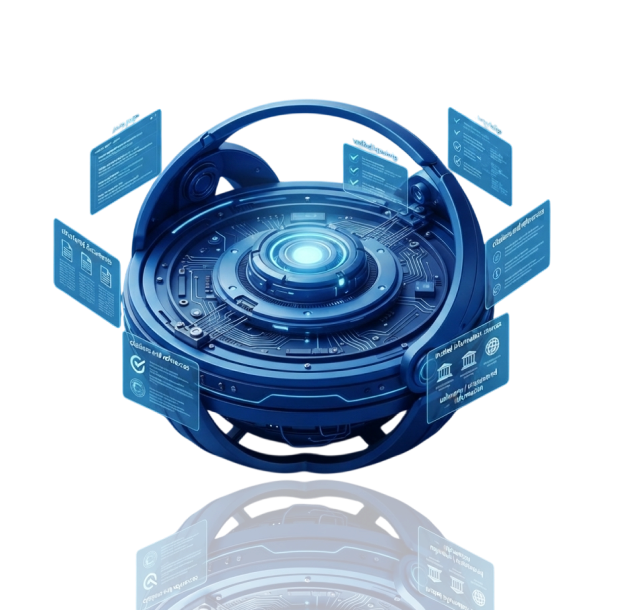
Qaori-bot is not a chatbot. It is an Alter, in a box, on your website.
A chatbot follows a script. A generic AI widget answers from the open internet and hopes it is close enough. An Alter is different: a governed AI persona, grounded in a defined body of knowledge, that cites what it drew from and knows what it does not know.
Qaori-bot puts one Alter to work on your website. It reads the pages and documents you point it at, holds a real conversation instead of a script, and tells you, not guesses, when it hits a question it cannot answer yet.
Switching off Intercom should not feel like a downgrade.
Intercom, Drift, Zendesk, and Crisp built the category. They also built the frustrations that come with it: expensive per-seat pricing, configuration screens that take a consultant to navigate, and a knowledge base that only grows when someone manually uploads and tags every article by hand.
Worse, none of them learn. A visitor asks a question the bot cannot answer. The bot apologizes. The exact same question gets asked again next week, and the bot apologizes again, because nothing about that conversation ever made it back into the knowledge the bot draws from.

How Qaori-bot Works
1. Point it at what you already have
Give Qaori-bot your website and your documents. It crawls your own site directly, safely, and within the pages you approve, so there is no manual upload-and-tag process to maintain. Existing PDFs and docs can also be uploaded directly.
2. Drop in one line
One script tag adds the widget to your site. Set your brand color and opening greeting, and it is live.
3. It answers, and shows its work
Every answer is grounded in the content you gave it. Q-bot cites the page or document an answer came from instead of inventing a plausible- sounding one, so your visitors get accurate answers and you can see exactly why.
4. It tells you what it does not know
When a real visitor asks something Q-bot cannot answer, that gap is logged and surfaced to you, not silently dropped. Approve the addition and the next visitor who asks gets a real answer. The bot that apologized last week is the bot that knows the answer this week.
5. Visitors who want it to remember them, sign up
Every conversation Qaori-bot has is available to that visitor the next time they open the widget, even mid-conversation, once they create a free Qaori account. Most support widgets forget a visitor the moment the tab closes. Q-bot does not have to.
Grounded in your own content
Qaori-bot answers from your website and documents, never from a generic model’s open-ended guess. Every answer can cite the source it came from.
Learns from real conversations
Questions Q-bot cannot answer are surfaced to you as knowledge gaps. You approve what gets added. The bot improves from the conversations it is actually having, not from a one-time setup pass.
Text, video, and voice
Q-bot starts every conversation as text. When a visitor wants a face and a voice instead of a chat bubble, the same Alter can pick up the conversation on video, with a live avatar, not a second product to configure.
One interface for your CRM, not a dozen
Q-bot connects out to the CRM you already use and can be called into by your own tools, through one standard connection method instead of a bespoke integration per vendor. A universal webhook covers anything not natively connected yet.
Your brand, not ours
Show the Q-bot badge, show your own brand with no badge, or run it fully white-labeled. The choice is yours.
Governed, not just guarded
Every conversation runs under the same governance pipeline that protects every Alter on the Qaori platform. You control how long conversation data is kept, and you can request deletion at any time.
The chatbot that remembers is the chatbot people come back to.
Ordinary support widgets start cold every time. Close the tab, lose the thread, explain the problem again from scratch tomorrow.
Q-bot visitors who create a free Qaori account keep their history. The Alter that helped them yesterday remembers what it already knows about their question today. That is not a convenience feature. It is the reason a returning visitor gets a better answer, faster, the second time.
Set up by talking, not by fighting a settings form.
Most widget dashboards hand you a form full of fields you have to already understand before you can fill them in. Q-bot can be configured the same way it talks to your visitors: in conversation. Choose which of your Alters powers the widget, describe how you want it to look and behave, and watch the widget take shape live as you talk. The classic settings screen is still there for anyone who wants it.
How Q-bot compares.
Knowledge source
Learns from conversations
Answers cite their source
Voice and video
Cross-session memory
CRM connectivity
Crawls your site and docs automatically
Yes, gap detection with your approval
Yes
Yes, same Alter
Yes, once the visitor signs in
One standard connection, plus a universal webhook
Manual upload and tagging
Rarely
Text only, or a separate add-on
No, starts cold every session
One-off integration per vendor
Sovereign infrastructure, not a bolted-on AI feature.
Q-bot is not a third-party AI layer stitched onto a widget vendor. It runs on the same Sanctuary infrastructure and the same Wisdom Engine that grounds every Alter on the Qaori platform. Conversation data stays under your jurisdiction, retention is a setting you control, and every action Q-bot takes is auditable.
Where Q-bot sits in the ecosystem.
Q-bot is a single Alter, wearing a support-widget configuration, on your website. It draws on the same Alter, Wisdom Engine, and Sanctuary infrastructure as every Sovereign Brain on the platform. If you already have a Qaori brain, Q-bot is a new front door to it. If you do not, Q-bot is a standalone way to put one governed Alter to work for your business today.

Q-bot is available as its own product. Exact packaging (standalone, or bundled with a Qaori Creator Brain subscription) and pricing are confirmed at qaori.ai/pricing.
Status
Q-bot is live today: the widget, knowledge crawling, grounded text chat, and video are in production. Voice-only calls, deeper CRM connectors, and the conversational setup flow are rolling out in the weeks ahead. This page will be updated as each capability ships.